
Bashful Clock2.1.3 - Google Play
You'll be able to see results in few seconds.
Publisher Description
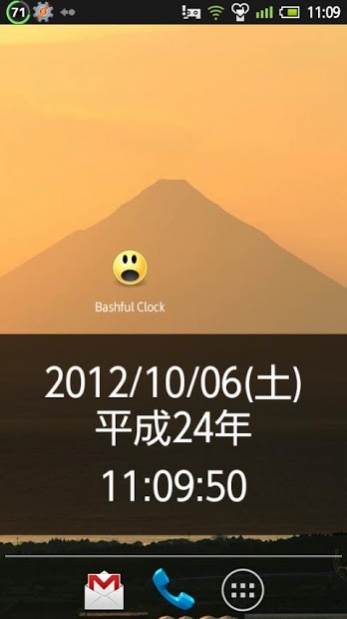
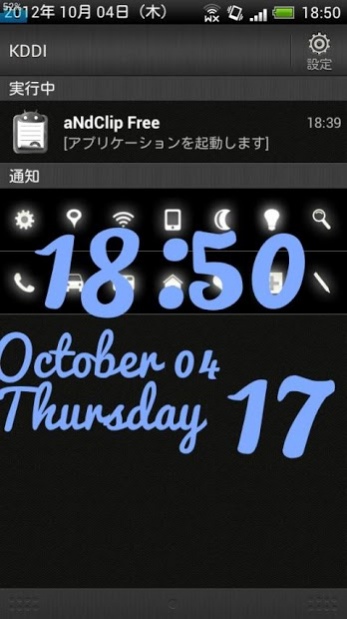


This is a clock that fades out after displaying the time for few seconds.
The clock can be displayed at the same time the screen is turned on, so current time can be checked quickly.
Characteristics
- Different applications can be used while displaying this clock.
- Most of the time, only a glance of a clock is needed. This app displays the clock only for 1 ~30 seconds.
- The app will detect activation of the screen and display the clock at the same timing. This function can be turned off.
- By creating shortcuts, the clock can be displayed any time.
- Can be operated as a plugin of Tasker. By using in conjunction with Tasker, display situation can be customized.
- Font size, color, blank space, format can be set.
By creating a shortcut on launchers like the home screen, the clock can be displayed any time, “Show clock with screen on” can be set on/off, and length of clock display can be adjusted.
This is not a widget. Compared to widget clocks, this app has the below benefits;
- Lower battery consumption
- Current time can be seen outside of home screen
Permissions needed
- Display system-level alerts
Is used for overlay display of the clock.
- Automatically start at boot
Will allow the app to re-activate with the device when "Show clock with screen on" is on.
- Modify/delete SD card contents
Needed to create backup files in SD cards.
Permissions are not used for any other reasons.
Operation
Confirmed with Nexus 7, SH-02E and SH-12C. Operates with Android 1.6 or higher.
Unable to move to SD cards.
This is because the app needs to be stored in the device to be able to activate automatically with device re-activation.
For any issues with the app, please report by e-mail.
dev.75py@gmail.com
ss(No5~7) is using Pacifico(SIL OFL).
http://www.fontspace.com/new-typography/pacifico
About Bashful Clock
The company that develops Bashful Clock is 75py. The latest version released by its developer is 2.1.3.
To install Bashful Clock on your Android device, just click the green Continue To App button above to start the installation process. The app is listed on our website since 2013-01-14 and was downloaded 0 times. We have already checked if the download link is safe, however for your own protection we recommend that you scan the downloaded app with your antivirus. Your antivirus may detect the Bashful Clock as malware as malware if the download link to com.nagopy.bashfulclock is broken.
How to install Bashful Clock on your Android device:
- Click on the Continue To App button on our website. This will redirect you to Google Play.
- Once the Bashful Clock is shown in the Google Play listing of your Android device, you can start its download and installation. Tap on the Install button located below the search bar and to the right of the app icon.
- A pop-up window with the permissions required by Bashful Clock will be shown. Click on Accept to continue the process.
- Bashful Clock will be downloaded onto your device, displaying a progress. Once the download completes, the installation will start and you'll get a notification after the installation is finished.
Program Details
System requirements
Download information
Pricing
Version History
version 2.1.3
posted on 2013-01-14
v2.1.3
bug fix
version 2.1.3
posted on 2013-01-13
Several fixes and updates
Disclaimer
Official Google Play Link
We do not host Bashful Clock on our servers. We did not scan it for viruses, adware, spyware or other type of malware. This app is hosted by Google and passed their terms and conditions to be listed there. We recommend caution when installing it.
The Google Play link for Bashful Clock is provided to you by apps112.com without any warranties, representations or guarantees of any kind, so access it at your own risk.
If you have questions regarding this particular app contact the publisher directly. For questions about the functionalities of apps112.com contact us.
